Journal · 9 min read
How to stay current with AI tools when everything ships before you can learn the last thing.
Claude Design dropped five days into a workflow rebuild and made it almost obsolete. The job is no longer staying current. The job is staying flexible.
Earlier this year I spent the better part of a week setting up scheduled Claude tasks against our Figma file, with the goal of having Claude rebuild our design system from the ground up in preparation for some bigger AI shifts we were planning into the team's workflow. The work was real, the progress was real, and it felt like the beginning of something that would meaningfully change how we operated.
Five days into the project, Claude Design dropped, complete with direct handoff from Claude Design to Claude Code. The thing I'd been building was still useful in places, but it had become almost obsolete the moment Anthropic published the announcement.
That's a story about this particular year, and it's also a story about most weeks now if you're paying attention. The question is no longer whether you can keep up with the AI tooling landscape, because you can't, and neither can anyone else. The question is what you do with the productivity tax of trying.
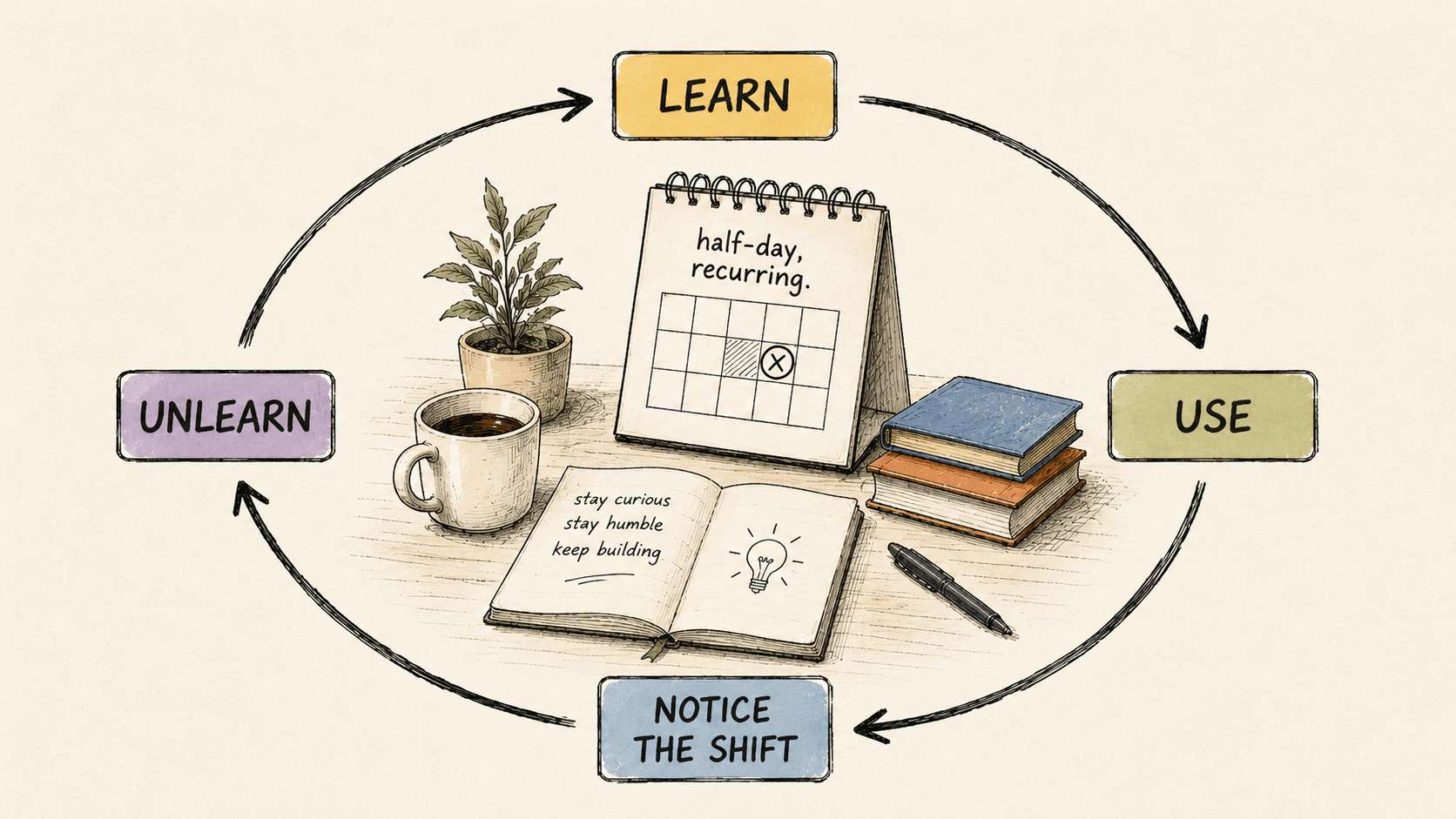
The answer I've landed on is that the job is no longer about staying current; it's about staying flexible. And the only sustainable mode I've found for doing that is what I think of as the learn-unlearn loop, a working pattern that treats curiosity as a muscle, mastery as temporary by default, and the willingness to drop yesterday's workflow as a senior skill rather than as a sunk cost.
What I mean by "the learn-unlearn loop."
The learn-unlearn loop is a default operating mode in which you absorb a new tool or pattern deeply enough to use it for real work, notice the moment when the underlying capability shifts and your workflow starts to drift away from where the tooling actually is, deliberately let the old approach go, and then rebuild on the new one. The cycle is the point of the practice, and you don't graduate out of it.
This is meaningfully different from two failure modes I see a lot of designers slipping into when the tooling gets noisy.
The first is FOMO completionism, the impulse to read every announcement, sign up for every beta, watch every demo, and try to hold all of it in your head at the same time. This is what burns people out, and it's also the working pattern that tends to produce the loudest LinkedIn presence and the lowest actual output. The information firehose is not a curriculum, even when it pretends to be one.
The second is defeatism dressed up as wisdom. The phrase usually goes something like "I'll wait for things to settle." Things are not going to settle. Waiting for the dust to clear in a landscape that's actively reshaping itself is the same as opting out of the conversation, and the designers I see thriving right now aren't the ones who picked the right tool early; they're the ones who got comfortable with not knowing what they'll be using in six months.
The learn-unlearn loop sits in between those two failure modes. Curious without being completionist. Adaptive without being passive.
Why this is the only sustainable mode right now.
Nobody actually knows the eighteen-month state of AI tooling. Not the labs publishing the models, not the analysts forecasting them, not the founders posting hot takes on LinkedIn at six in the morning. The honest answer about where any of this lands by 2027 is that we have some idea but not much certainty, and everyone is doing the same triangulation from this week's evidence as everyone else.
When the underlying capability is moving that quickly, the workflows you build on top of it are inherently provisional. The scheduled-tasks-into-Figma rebuild I described above wasn't wasted work, even though it got overtaken in five days. I learned a great deal about how to think about design systems in an AI loop, and that thinking transferred directly into how I planned the migration to Claude Design afterward. The artefact got superseded; the thinking didn't. That delta, the time between mastering a workflow and having it replaced by something better, is going to keep compressing for the foreseeable future.
Pretending that's not the situation is the productivity tax I keep talking about. You can pay it in burnout, by chasing every release as it lands, or you can pay it in irrelevance, by refusing to chase any of them at all. There's a third option, which is to build a working mode that prices the tax in deliberately and stays under budget, and that's what the loop is for.
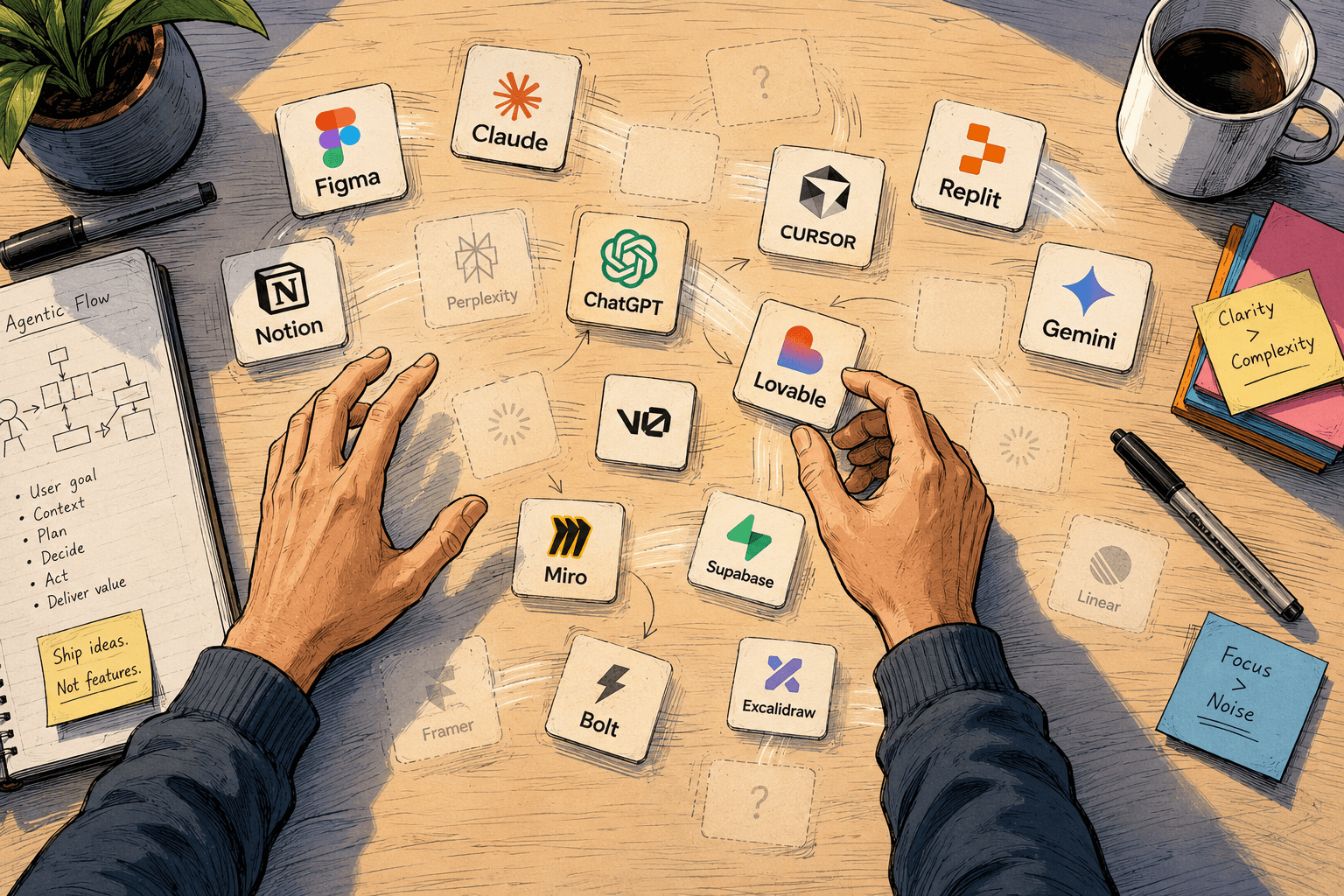
What to chase, what to ignore.
A heuristic that's saved me a lot of weeks. Most AI announcements fall into one of two buckets, and only one of them is signal worth your attention.
Capability shifts change what's possible. Direct handoff from Claude Design to Claude Code wasn't a feature update; it was a re-architecture of where design ends and code begins. Cursor's edit-mode wasn't a faster autocomplete; it was a new contract between the developer and the IDE. NotebookLM wasn't another summarisation tool; it was a research assistant with state. When a release changes the type of work you can do, that's signal, and you owe it a careful look.
Tooling refinements change what tool you do existing work in. Figma adding an AI sidebar that does what your existing AI sidebar already did is mostly noise. The eighteenth ChatGPT plugin for X of the week is mostly noise. New pricing tiers, marginal feature additions, cosmetic UI redesigns: all of that is noise unless it specifically unblocks something you were already stuck on.
The heuristic I run before reading any announcement these days is simple. Would this change what I'm building, or only how I'm building it? If the answer is the second one, I save the announcement for the half-day-a-week exploration block I'll get to below. The signal-to-noise ratio in your inbox is itself a design problem, and the best designers handle it the way they'd handle any other design problem, by drawing a clear line and defending it.
The unlearn part is the hardest part.
Most people can learn a new tool when they have to. Far fewer can let an old one go cleanly.
Mastered workflows feel like equity, in the sense that you spent real time building them and the time has accumulated into something that feels valuable. Letting that workflow go feels like depreciation, as though the time spent has been written off as a loss. Both feelings are wrong, and they're the source of more career drag than the tools themselves ever are.
The reframe that helped me think about this differently is that skills transfer while specific tools do not. The two years you spent mastering a particular auto-layout pattern in Figma didn't actually teach you Figma; they taught you systems thinking, constraint-based composition, and hierarchy. Those skills move into any new canvas you pick up next. The specific keyboard shortcuts don't move with you, and they were never the asset in the first place.
The Claude-into-Figma rebuild work I did earlier this year was real work that taught me real things, about how design systems compress, where AI loops break in practice, and which prompts produce useful design output as opposed to plausible-looking design output. That thinking transferred straight into the Claude Design migration, even though the artefact itself didn't. The lesson I keep coming back to is to treat every workflow you build as half-disposable from the day you build it. Plan for the unlearn before you've finished the learn.
The senior move here isn't getting attached to mastery. It's enjoying the loop.
How to manage the productivity tax without going under.
The tax is real, and pretending otherwise is how people burn out. Four tactics that keep me under budget.
Time-box exploration. One half-day a week, on my calendar, recurring and defended. Not "whenever I find time," because that's how the firehose wins, and not "every spare hour," because that's how the burnout wins. A defended block is enough to investigate one capability shift in real depth, which turns out to be far more useful than skim-reading every announcement that comes through.
Read-or-build, never read-and-build. One mode at a time. The mistake I see designers make most often is reading about a new tool while also trying to use it on real production work. That combination produces shallow understanding and shoddy output in equal measure. Pick a mode for the session before you start. You're either in research-and-prototype mode with no production stakes, or you're in production mode with the tools you already trust.
Cull aggressively. Two new tools in, one mastered tool out, by intention. The slowest engineers and designers I know aren't slow because they don't know enough; they're slow because their stack has accumulated to the point that switching context between tools eats half their day. Audit your stack quarterly, and drop something every time you add two new things. The tool you cull won't be the one you expect, and that's the audit doing its job.
Treat your team as a distributed brain. You don't need to be current on every tool yourself. You need to be one Slack message away from someone who is. Build the network on purpose: a curious engineering colleague, a researcher who reads papers for fun, a friend at a different company shipping different problems. The rate-limit on knowledge isn't your reading speed; it's the latency to a trusted human who already learned the thing for you.
One more thing.
The counterargument I get most often is "isn't all this exhausting?" Yes, sometimes it is.
The exhaustion isn't the tax I'm trying to manage. It's the work itself. Curiosity costs energy, and that's the price of being a designer who's still useful in the years that come. The alternative is becoming the designer who's still using the 2024 stack in 2027 because that's roughly when you stopped paying attention. That designer exists, and you've worked with them. They were strong once, and at some point they froze. The freeze didn't feel like a decision; it felt like wisdom, or focus, or "I'll learn it when I need to." Then the need came, and there wasn't time.
Curiosity is a muscle. Atrophy is the actual risk in this landscape, not exhaustion.
The loop is sustainable precisely because it has rest built into it. Half-day blocks. Read-or-build. Aggressive culling. A team you can lean on. None of that is heroic, and all of it is repeatable. Build the loop, defend it, and you stop fighting the landscape and start moving with it.
FAQ
Frequently asked questions
- What is the learn-unlearn loop?
- A working operating mode where you absorb a new tool deeply enough to use it for real work, notice when the underlying capability shifts, deliberately let the old approach go, and rebuild. The cycle is the point. You do not graduate out of it. It is the only sustainable response to an AI tooling landscape where mastery is temporary by design.
- How do designers stay current with AI tools without burning out?
- Time-box exploration to one defended half-day a week. Pick read-or-build mode for any session, never both at once. Cull aggressively: two new tools in, one mastered tool out. Treat your team as a distributed brain, since you do not need to know every tool yourself; you just need to be one Slack message away from someone who does.
- What is the difference between a capability shift and a tooling refinement?
- A capability shift changes what work is possible. Examples include Claude Design’s direct-to-Code handoff, Cursor’s edit mode, and NotebookLM’s stateful research. A tooling refinement only changes what tool you use to do existing work. Capability shifts deserve careful exploration. Refinements are mostly noise unless they unblock something specific you were already stuck on.
- Why is unlearning harder than learning a new tool?
- Mastered workflows feel like equity, and letting them go feels like depreciation. Both feelings are wrong. Skills transfer; specific tools do not. The two years you spent mastering a workflow taught you systems thinking and constraint-based composition, which move into any new canvas you pick up next. The keyboard shortcuts do not move with you, and they were never the asset in the first place.
- Should I try to learn every new AI tool that ships?
- No. The information firehose is not a curriculum. Use the chase-or-ignore heuristic: would this change what you build, or only how you build it? If only the second, save it for your half-day exploration block. Most weekly AI announcements are tooling refinements; the few that are capability shifts deserve real depth.
Stay in touch
Want to keep talking?
I’m on LinkedIn. Connect, send questions, or just lurk. All welcome.